Turn a selfie into a clean headshot
A presentable profile photo without a studio booking.
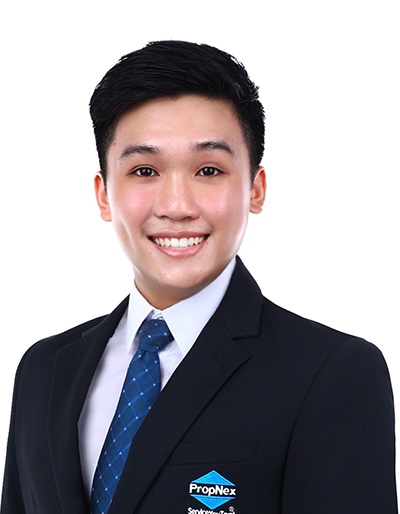
Jervis Koh · tested in my own business
Working realtor, The Real Matters. If a prompt doesn't survive real clients, it isn't here.
Start with a sharp, well-lit selfie facing a window. Use an AI headshot tool (or a general image model) and tell it to keep your real features — natural, not airbrushed.
A clean headshot builds instant trust on a profile or pitch. AI can make one from a decent selfie, but there's a narrow path between 'polished version of me' and 'an attractive stranger'. Staying recognisably yourself is the whole skill.
- ▸Aragon AI / HeadshotPro — purpose-built AI headshots from a handful of your photos
- ▸Adobe Firefly / Google ImageFX free — general image tools you can prompt for a headshot
- ▸Remini — quick photo cleanup and enhancement on a real photo
The source photo decides everything
The quality and likeness of the result are capped by what you feed in. A sharp, well-lit photo facing a window, at eye level, with a relaxed expression, gives the model something true to work from. A dark, blurry, upward-angled selfie gives it permission to invent — and invention is what makes the output look like someone else.
Demand restraint
Request subtle cleanup only and explicitly tell it to preserve your real features, proportions and skin texture. Then generate several and choose the most natural, not the most flattering. The two tells of an AI headshot are plastic, texture-free skin and subtly altered features — insisting on real texture and unchanged proportions is what keeps it human.
Wardrobe, framing, and a consistent set
Brief the image for where it lives — a corporate LinkedIn shot wants a different background and outfit than a creative's portfolio. Solid colours render most cleanly; busy patterns confuse models. Keep the crop conventional: head and shoulders, a little space above the head, eyes on the upper third. For a team page, generate everyone with the same background and lighting brief so they read as one set.
- 1Take or pick a sharp photo facing a window, at eye level, relaxed expression.
- 2Feed it to a headshot tool, or prompt an image model.
- 3Tell it to keep your real features, proportions and texture — subtle cleanup only.
- 4Generate several and pick the most natural one.
Headshot prompts
Was this useful?
I drop one like this most days in the channel — free, no spam.
Want the prompts that go further?
Drop your email + WhatsApp — I'll send the weekly playbook and the full prompt vault.
Prefer to ask first? Message me on WhatsApp · see plans